

Custom ERP Development
Custom ERP Development in Singapore
Connect your business processes with an ERP built around your operation
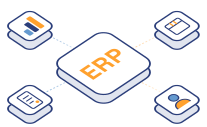
When sales, purchasing and operations work from different records, even a simple order can take several calls to confirm. A custom ERP gives your teams a shared view of the work and the information they need to move it forward.
AppTech System helps Singapore businesses plan custom ERP development around their workflows, approval rules and reporting needs. Bring the processes that matter into one connected system, with a scope that fits your business.
What is ERP?
ERP stands for Enterprise Resource Planning. It is software that connects core business functions, such as sales, inventory, purchasing and finance, in one system. Teams work from shared information, making it easier to track operations and reduce duplicate data entry.
For example, when a sales order is confirmed, an ERP system can update stock availability, notify the team responsible for fulfilment and pass the relevant details to finance.
What is custom ERP development?
Custom ERP development is the process of building an ERP system around your business's specific workflows and requirements. You choose the modules, approval rules, reports and integrations you need. The system can cover a few connected processes or support multiple departments as your business grows.
An ERP system that follows how your business works
Consider a sales order that needs stock confirmation, purchasing approval and a delivery update. With connected records, each department can work from the same transaction instead of maintaining a separate spreadsheet.
Custom ERP development may be a good fit when:
- Staff repeatedly enter the same information into different tools.
- Managers cannot see reliable order, stock or workload status.
- Approval rules require workarounds outside your current software.
- Multiple departments depend on spreadsheets to coordinate work.
- An existing ERP cannot support an important business process.
- Growth has made manual reporting and reconciliation difficult to sustain.
We start by understanding these gaps. The right scope may be a custom module, an integration or a broader ERP software development project.
Custom ERP modules to consider for your business
Your requirements determine the modules and integrations in the final scope. Start with the processes causing the most friction and build a roadmap for the rest.
Sales and order management
Connect quotations, customer records, orders and fulfilment status. Give sales and operations a shared view of what has been agreed, what is outstanding and what needs action.
Define order approval rules, handover steps and supporting documents around your workflow.
Inventory management
Plan stock visibility across the locations relevant to your business. Inventory workflows can cover receipts, transfers, reservations, adjustments and reorder alerts.
Where traceability is required, discuss batch, serial number or movement-history requirements during discovery. The design should reflect how goods are received, stored and issued.
Purchasing and supplier management
Bring purchase requests, supplier details and approval decisions into a structured process. Match spending thresholds to the people authorised to approve them.
Link purchasing to operational demand so teams can understand why an item was requested and track its progress.
Finance and accounting integration
Connect operational transactions with the accounting system you use. Agree how customer, supplier, invoice and payment information should move between platforms.
Keeping an established accounting package can be more practical than rebuilding its functions. Integration scope depends on the software's supported interfaces and your finance team's requirements.
Customer relationship management
Give authorised users access to customer details, enquiries, transaction history and service information. Link customer relationship management to order and operational records where it supports the business.
A shared customer view can help reduce repeated questions and improve handovers between sales and service teams.
Project and resource management
Track jobs, tasks, assignments and delivery milestones. Define the relationship between a project, its materials, the people involved and any related transactions.
This is useful when work spans departments and managers need to see ownership, workload and outstanding actions.
Reporting and business intelligence
Turn connected business data into dashboards and reports that support decisions. Define the measures your managers need, how they are calculated and which records feed them.
Reporting requirements may include order backlogs, inventory movements, purchasing commitments or operational workload. Clear definitions matter as much as the dashboard itself.
Approval workflows and access control
Design approval chains around your policies, including thresholds, delegation and escalation. Assign user roles according to responsibilities and record key changes for traceability.
These controls help teams follow a consistent process while giving managers visibility into exceptions.
Custom ERP development or off-the-shelf ERP?
An off-the-shelf ERP can be a good fit when its standard processes match your requirements and the configuration options are sufficient. It may also offer an established ecosystem of modules and implementation partners.
A custom ERP is worth considering when your core workflows are distinctive, integrations are complex or existing products require extensive workarounds. It gives you more control over the design, but also requires a plan for maintenance and ongoing development.
We help you assess the fit before defining the build. The decision should consider process coverage, implementation effort, user adoption and the total cost of ownership.
Our ERP development and implementation process
1. Map your business processes
We review how information moves between teams, where work waits and which records each department relies on. Stakeholder discussions help distinguish essential requirements from preferences.
2. Define the modules and roadmap
Prioritise the first release and identify dependencies between functions. Agree the business rules, user roles, reports and system integrations that belong in scope.
A clear roadmap gives your team a basis for assessing cost, delivery milestones and future phases.
3. Design the system with its users
Review screens, workflows and data structures with the people who will use them. Check common tasks as well as exceptions, such as rejected approvals, returned goods or amended orders.
4. Build and integrate
Develop the agreed ERP functionality and connect the relevant systems. Review working features with stakeholders so that questions are resolved throughout the development process.
5. Prepare data and test
Plan data migration by identifying source records, duplicates, missing fields and ownership. Test the migration approach and reconcile results before the production transition.
User acceptance testing checks complete business scenarios across departments, including permissions and approval rules.
6. Train, launch and improve
Plan user training, support responsibilities and the go-live sequence. A phased ERP implementation can introduce one process or team first, with wider rollout following review.
After launch, prioritise enhancements using operational feedback and changing business needs.
Build around the systems worth keeping
Custom ERP software does not have to replace every business application. Your ERP solution can connect to accounting, CRM, HR or other existing systems where suitable integration options are available.
Before development, we establish which application owns each type of data, how changes are synchronised and what happens if an update fails. That planning helps avoid conflicting records and unclear responsibilities.
If your ERP is already suitable but approvals and requests still happen outside it, an enterprise workflow platform may address the gap.
Why discuss custom ERP development with AppTech?
AppTech's work spans custom software, web applications and enterprise workflows. We approach ERP requirements as connected business processes, considering the users, records and integrations behind each screen.
Our own software products add experience in building and maintaining operational platforms. For your project, we focus on a defined scope, reviewable progress and a practical transition for the people who will use the system.
You gain a development discussion grounded in how the business runs today and what needs to change next.
Start with the process that needs fixing
Show us where orders stall, information gets duplicated or managers lose visibility. We will help assess whether a custom ERP, a focused module or an integration is the right next step.
Call +65 6871 8798 to speak with AppTech System.
Start a Conversation
Tell us what you need built
A consultant replies within one business day with a straight answer on fit, cost and timeline. No sales deck.
- Free scoping call, no obligation
- Honest view on build vs buy
- EDG grant eligibility checked for you
Prefer to talk? +65 6871 8798
Frequently Asked Questions
Questions about custom erp development
01How much does custom ERP development cost in Singapore?
ERP development costs depend on the modules, business rules, integrations, data migration and implementation requirements. A project connecting a few operational workflows will differ substantially from a system spanning multiple departments. Discovery helps establish a meaningful quotation and phased budget.
02How long does it take to develop a custom ERP system?
The timeline depends on scope, complexity and data readiness. Requirements mapping and a phased implementation plan help identify a realistic first release. Integrations, migration and user acceptance testing should be included in the schedule.
03Can we develop only the ERP modules we need?
Yes. A modular approach can focus on the most pressing operational problem first. Shared records and dependencies still need to be planned early so later modules can fit the system.
04Can a custom ERP integrate with our accounting software?
That depends on the accounting platform and the interfaces available. We assess what data can be exchanged, how often it must update and what controls are needed before confirming the scope.
05Can existing business data be migrated?
Migration can be included after reviewing the source systems and data quality. Typical preparation includes mapping fields, resolving duplicates, validating records and testing the transfer. Your team should confirm the accuracy of migrated data before go-live.
06Is custom ERP suitable for SMEs?
It can be, when a specific workflow or integration problem justifies the investment. SMEs should compare a focused custom solution with configuring an existing product and consider the ongoing cost of support.
07How are permissions and sensitive information handled?
The design should define user roles, access boundaries, approval authority and logging requirements. Hosting, backups and data retention also need to be agreed for the project. These requirements are considered during planning and tested as part of delivery.
08Can you improve our existing ERP instead of replacing it?
We can assess whether integrations, custom modules or workflow improvements will address the problem. A replacement is considered when the existing platform cannot reasonably support the required changes.
Didn't find your question? Ask us directly and a consultant will reply within one business day.
See what custom erp development could look like in your business
Free workflow assessment — we map your current operations and show you exactly what to automate first.