Blog / Industry Guides
Online Booking System Buyer's Guide for Singapore Businesses
13 Jun 2026 · AppTech System
An online booking system is one of the highest-ROI tools an appointment-based business can adopt. It captures bookings 24/7, cuts no-shows, and frees your team from the phone. But these tools vary wildly, and the right choice depends on how you actually run. This is the hands-on guide to choosing one in Singapore: the must-have features, the local compliance layer most global tools miss, real pricing models, and when off-the-shelf isn't enough. For the bigger-picture case on why this matters, see our companion piece on the future of online booking. This guide owns the practical detail; that one owns the trends.
Why does an online booking system matter now?
Two forces make this urgent: no-shows and round-the-clock demand. Globally, a systematic review of 105 studies found an average appointment no-show rate of 23.0% (Carreras-García et al., Health Care Management Science, 2018). Every empty slot is lost revenue you cannot recover.
At the same time, customers expect to book and pay digitally at any hour. Digital-payment adoption in Singapore reached roughly 92% in 2025, with about 80% of consumers and businesses actively using PayNow (PwC Singapore × Singapore FinTech Association, Payments' State of Play 2026). A phone-only business is closed the moment the phone stops being answered. A booking system never sleeps, and the right one turns missed calls into confirmed, paid appointments. That is the gap this guide helps you close.
One caveat on that 23% figure: it comes from an international, healthcare-weighted review, so read it as the order of magnitude rather than a Singapore or all-industry number. The point holds regardless. If even one booking in ten goes unfilled, a system that takes deposits and fires reminders pays for itself fast. The trends piece argues the why in depth; here we stay on the how, so the rest of this guide is about choosing well rather than re-making the case.
What are the must-have features?
Treat these seven as the baseline, not a wishlist. Studies link automated reminders to materially lower no-shows against that ~23% global baseline, so reminders alone often justify the subscription. Below each feature is the practical question to put to a vendor during a demo, because the label on a feature page rarely tells you how it behaves in your day-to-day.
- Real-time availability — customers self-book from live slots, with no back-and-forth and no double-bookings.
- Automated reminders — SMS and email, with timing you can customise; this is your single biggest lever against no-shows.
- Online payments & deposits — secure payment plus deposits to protect high-value slots; check for PayNow and SGQR, not just cards.
- Multi-staff & multi-location — schedules, resources and branches handled cleanly as you grow.
- Memberships & packages — if you sell them, the system should track balances and redemptions automatically.
- Calendar sync & notifications — two-way sync so staff calendars and the booking system never drift apart.
- Mobile-first booking & reporting — most customers book on a phone, and you need numbers on utilisation, revenue and no-shows.
One thing we've learned from building these systems: a tool that does 90% of what you need beautifully often beats one that does 100% awkwardly. Watch how reminders, payments and rescheduling actually flow in a live demo, not just whether the box is ticked. If you sell packages or memberships, make the vendor process a redemption in front of you. That single test exposes more than an hour of feature-list reading.
Don't skip reporting, either. It's the feature owners undervalue at purchase and miss most once they're live. Utilisation by staff member, revenue per service, and no-show rate by time slot are the numbers that tell you where to add capacity and which slots to protect with a deposit. A booking tool that captures the data but won't let you see it cleanly leaves money on the table. Ask to see a real report, not a sample, during the demo.
What Singapore-specific checks do most global tools miss?
This is the layer that separates a tool built for Singapore from one merely sold here. The PDPA applies to every private-sector organisation that collects personal data, with no minimum threshold for size, revenue or headcount (PDPC). Your booking data, names, phone numbers, emails, falls squarely inside it.
The most timely compliance hook is the NRIC rule. Organisations must cease using NRIC numbers, full or partial, for authentication by 31 December 2026, and from 1 January 2027 the PDPC will step up enforcement (PDPC press release, Feb 2026). A booking system must never use an NRIC as a password, login or verification factor. Ask vendors directly how they identify returning customers, and rule out anything leaning on NRIC.
Three more local must-checks belong on your shortlist:
- PayNow & SGQR acceptance — with ~80% PayNow usage, a tool that takes deposits in cards only will lose Singapore bookings at checkout.
- InvoiceNow readiness — if you are GST-registered and the booking tool also issues tax invoices, this matters; GST InvoiceNow (Peppol) e-invoicing is phasing in from 1 November 2025 for newly incorporated voluntary registrants and from 1 April 2026 for all new voluntary GST registrants (IRAS). See our InvoiceNow guide for the full timeline.
- Data hosting & processing arrangement — ask where customer data is stored and require a written data-processing agreement; under the PDPA, your business stays accountable even when a vendor holds the data.
Why does this layer matter so much? Because it's where accountability lands on you, not the vendor. A global tool can be excellent at scheduling and still leave you exposed if it stores NRIC as an identifier, processes data in a way you can't document, or can't issue a compliant tax invoice. For regulated sectors the bar is higher still: clinics, financial services and legal practices carry sensitive data and tighter obligations, so the PDPA posture isn't a nice-to-have, it's a gating criterion. If that's you, our financial services and clinics pages set out what we typically build in.
Run a quick gap check before you sign anything. Our PDPA readiness check walks through consent, retention and access in a few minutes, and it doubles as a list of pointed questions for any booking vendor.
How do online booking systems charge?
Most booking tools run on subscription, but the unit you pay for differs sharply, and that unit decides whether the price scales with you or against you. Per-seat plans look cheap for a solo operator and punishing for a ten-person clinic. Below are the five models you will meet, with the trap each one hides.
- Per-seat / per-user — you pay for each staff member; simple, but the bill climbs every time you hire, so it scales badly for growing teams.
- Per-location — a flat fee per branch regardless of headcount; kinder to multi-staff sites, heavier if you have many small outlets.
- Flat subscription — one price for the whole account; predictable, though usually capped on features or volume at the lower tiers.
- Free tier + processing fees — no software fee, but you pay a cut on every payment or marketplace booking; the "free" tool can become the dearest at volume.
- Custom / enterprise — quoted by booking volume or scale; flexible, but get the assumptions in writing before you commit.
Watch the costs that don't appear on the pricing page. SMS reminders are frequently billed as add-on credits, payment processing takes a percentage of every transaction, and the features you actually need often sit one tier above the headline price. Add these up across a realistic month of bookings, because the sticker figure and the real monthly bill are rarely the same number.
The honest rule: model your headcount and booking volume two to three years out, then price each shortlisted tool against that, not against today. We've seen per-seat tools that were a bargain at three staff turn into the biggest line item at twelve. When that happens, a tailored system, built on proven booking foundations, can cost less over a few years and fit far better, especially once grant funding is in the picture.
Which booking tools do Singapore businesses actually use?
These seven are real, widely-reviewed tools that appear in Singapore salon, spa and clinic software roundups. This is orientation, not a ranking, and the "best for" reflects each vendor's positioning. We deliberately list pricing model only: published prices change often and vary by region, so verify current pricing and PayNow support directly with each vendor before deciding.
| Tool | Best for | Pricing model |
|---|---|---|
| Fresha | Salons & spas wanting low upfront cost plus a consumer marketplace | Free core + per-team-member / marketplace & payment-processing fees |
| Square Appointments | Solo operators & small teams already on Square POS | Free individual tier; per-location paid tiers; processing fees apply |
| Calendly | Professional services & consultations (meeting-style bookings) | Free tier + per-user / month paid tiers |
| Acuity Scheduling | Multi-service businesses needing intake forms & packages | Per-account subscription tiers (not per-seat); no free tier |
| SimplyBook.me | Clinics, gyms & training centres needing features à la carte | Free + tiered plans scaling by bookings / providers; custom enterprise |
| Vagaro | Beauty & wellness wanting booking + marketplace + POS | Tiered subscription scaling by bundle; no booking commission |
| Zenoti | Multi-location spa / salon chains needing enterprise ops & analytics | Custom / enterprise quote by scale |
Inclusion is informational, not an endorsement. Pricing models are summarised from vendor and listicle sources and change frequently; confirm current pricing, PayNow/SGQR support and PDPA terms with each vendor before deciding.
The pattern is clear. Marketplace-led tools (Fresha, Vagaro) suit consumer-facing salons and spas chasing discovery; POS-native tools (Square) suit retailers already on that till; meeting-style tools (Calendly) suit consultations. None of these is AppTech's own product, which is why BooknGo sits in its own section further down rather than in a "neutral tools" table.
Two cautions before you shortlist from the table. First, marketplace and free-tier tools earn on processing or commission, so the headline "free" can cost the most once you're busy. Second, many of these are global products, which means the Singapore compliance layer in the next section, PayNow, PDPA posture and InvoiceNow readiness, is exactly where a globally-built tool is most likely to fall short. Test those before features.
What should your vendor scorecard cover?
Score every shortlisted tool against the same nine criteria, then compare on the total rather than on whichever feature dazzled you in the demo. We've found that buyers who use a fixed scorecard rarely regret the choice, because it forces the boring-but-decisive factors (data portability, support, PDPA posture) to count as much as the shiny ones.
- Workflow fit — does it match how you actually run, or force you to change to fit it?
- PDPA posture — consent capture, a data-processing arrangement, hosting location, and no NRIC-as-login.
- Payments — PayNow/SGQR plus cards, with deposits for no-show protection.
- Reminders — SMS and email, with customisable timing; your main no-show lever.
- Pricing scalability — per-seat vs per-location vs flat, modelled against your 2-3 year headcount.
- Integrations — website, calendar, payment gateway, accounting, and InvoiceNow readiness if GST-registered.
- Multi-staff / multi-location & resource logic — handles your real complexity, not a simplified version of it.
- Data portability & exit — can you export customers and bookings if you leave? Avoid lock-in.
- Support & SLA after go-live — onboarding, response times, and local-hours support.
Questions to ask any vendor
Bring these to every demo. Vendors answer feature questions easily; the ones below are where weak tools stumble, because they probe portability, compliance and what happens after the sale, not just what the software can do.
- Does it fit my workflow, or do I have to change how I work to fit it?
- How does pricing scale, per staff, per location, or per booking?
- Is customer data handled PDPA-compliantly, and will you sign a data-processing agreement?
- Where is my data hosted, and how do I export customers and bookings if I leave?
- Do you support PayNow and SGQR, and are you InvoiceNow-ready if I'm GST-registered?
- Can it integrate with my website, payments, and existing tools?
- What does support look like after go-live, and what are your response times?
When should you build custom instead?
For most businesses an off-the-shelf tool is the right, faster choice, and you shouldn't build what you can buy. But Singapore grants change the build-vs-buy maths more than most owners realise. The EDGE Grant, which replaced the Enterprise Development Grant (EDG) and the Productivity Solutions Grant (PSG) on 30 September 2026, funds up to 50% of qualifying costs for SMEs on most activities, within S$100,000 per company a year (Enterprise Singapore).
That changes the comparison. For an off-the-shelf tool, support is capped at S$30,000 a year (shared with integrated systems and pre-scoped equipment), and only for pre-approved solutions from vendors listed on IMDA's SMEs Go Digital platform (Enterprise Singapore). A fully custom build has no single named EDGE activity: it may be supported when it fits one of EDGE's activities, so confirm the activity with Enterprise Singapore's advisors first. Our guide to how PSG and EDG map onto EDGE walks through which route fits an off-the-shelf tool versus a tailored system, and you can run a quick EDGE eligibility check in minutes.
Building custom usually wins in three situations:
- Unusual booking logic — complex resources, multi-step services, or rules that generic tools fight you on.
- Deep operational integration — booking that must talk tightly to the rest of your stack (POS, accounting, dispatch, CRM).
- Per-seat fees outgrowing the value — when a subscription bill that scales with headcount starts to dwarf what a tailored system would cost over a few years.
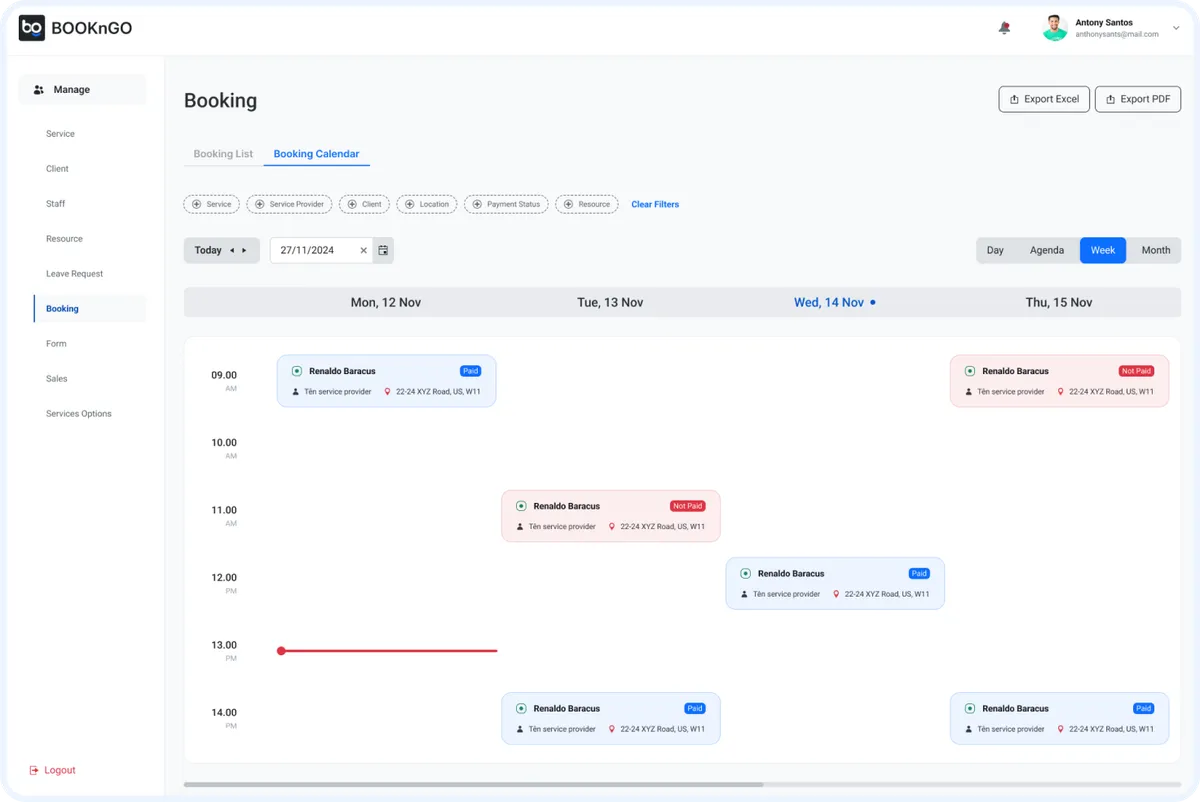
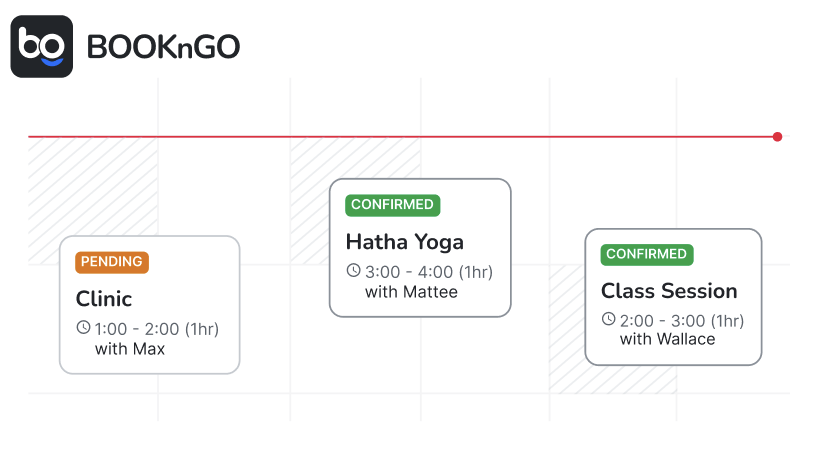
That's the work we do. Our BooknGo platform handles booking, reminders, payments, memberships and intake, and can be tailored to how you actually run rather than the other way round. If you're weighing a build, our software development services page and the guide to choosing a software partner are the natural next reads.
Disclaimer: AppTech System is a software development vendor, not a regulator, tax adviser or accredited grant consultant. The PDPA and the NRIC-authentication requirement, PayNow/SGQR, the GST InvoiceNow rollout, and the EDGE Grant (which replaced the PSG and EDG schemes) are governed by the PDPC, IRAS, MAS and Enterprise Singapore, and are subject to change. Dates and percentages above should be confirmed on the official pages before any decision, and product mentions are informational, not endorsements.
About AppTech System — AppTech System is a Singapore custom-software team and the people behind the Automiq and BooknGo platforms, building web, mobile, AI and enterprise software for businesses in regulated industries. Talk to us.
Ready to stop missing bookings?
See BooknGo